Method 1: Direct from Google Play
- Open Google Play Store
- Search for your preferred player
- Download and install
- Enter your subscription details
Method 2: IPTV Smarters Pro Installation
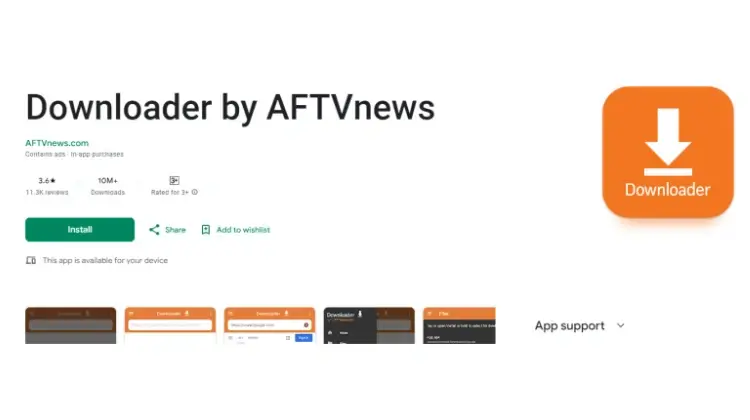
Download Downloader App
- Open Google Play
- Search “Downloader by AFTVnews”
- Install the app
Enable Unknown Sources
- Open Settings
- Find Security/Privacy
- Enable “Unknown Sources”
Install IPTV Smarters Pro
- Launch Downloader
- Enter code: 78522
- Follow installation prompts
Configure Your Service
- Open IPTV Smarters Pro
- Select “Xtream Codes API”
- Enter your credentials:
- Server URL (starts with http://)
- Username
- Password
Troubleshooting Tips
Common Issues & Solutions
- Authorization Failed: Double-check credentials
- Loading Error: Verify internet connection
- Playback Issues: Try different players
- EPG Problems: Update app/reload EPG
Set Up IPTV on FireStick – Step-by-Step Guide
1. Access the Downloader App
From the home screen of your device, hover over the Find option.
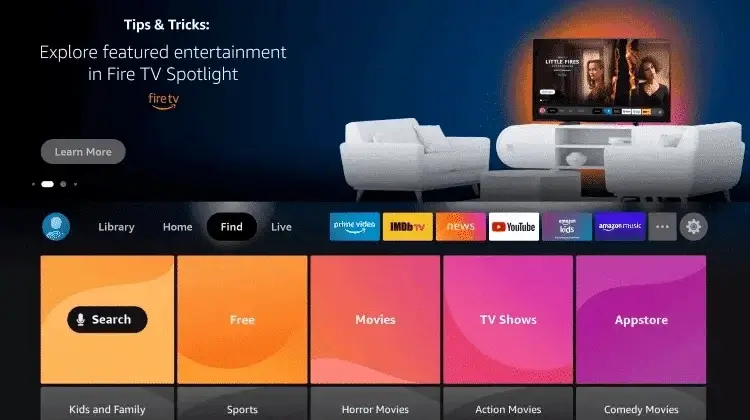
2. Click Search
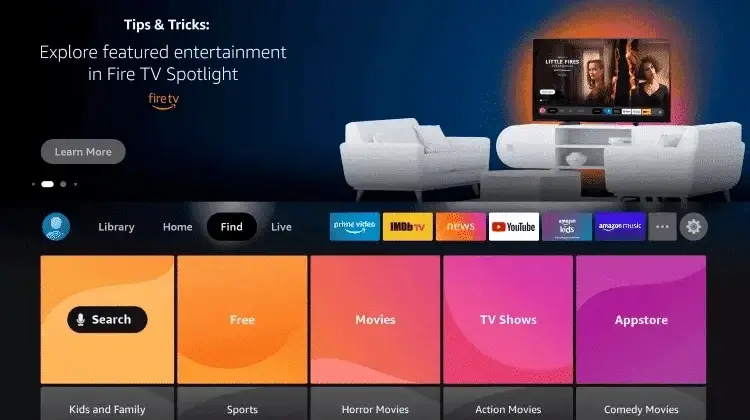
3. Search for Downloader
Type Downloader in the search bar.
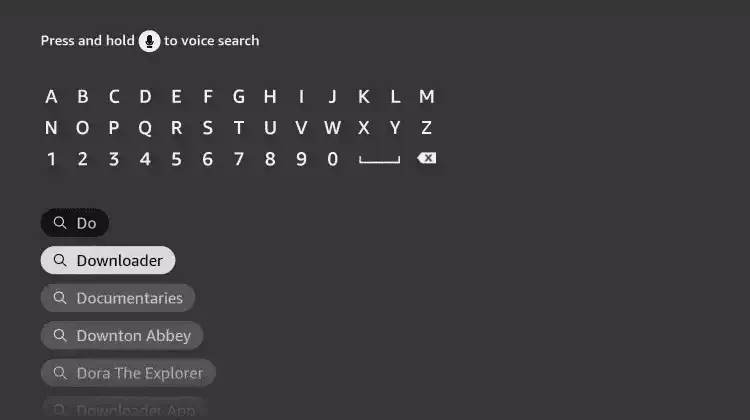
4. Select Downloader App
Choose the Downloader App from the results.
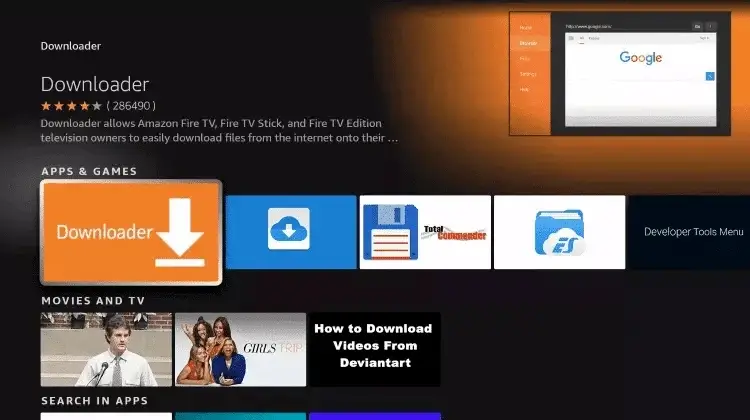
5. Download the App
Click Download to install the Downloader app.
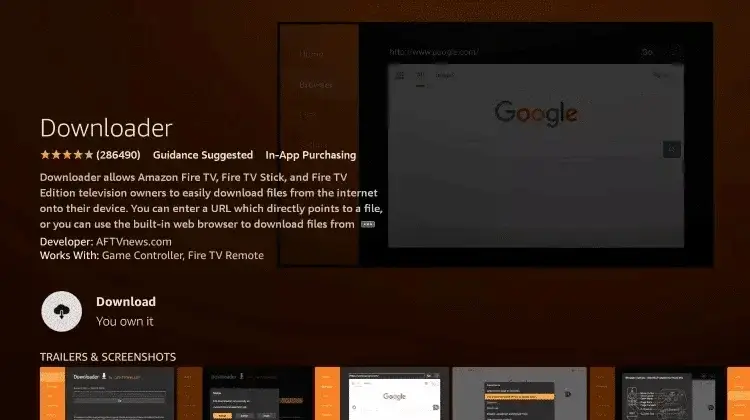
6. Open Downloader
Once installed, click Open.
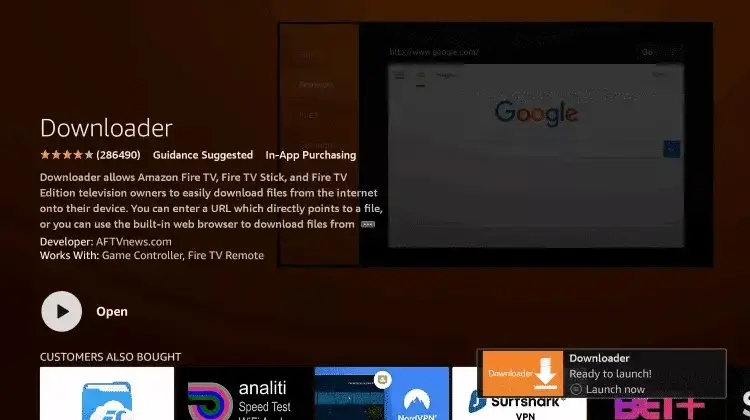
7. Enable Unknown Sources
7.1 Access Settings
Return to the home screen and open Settings.
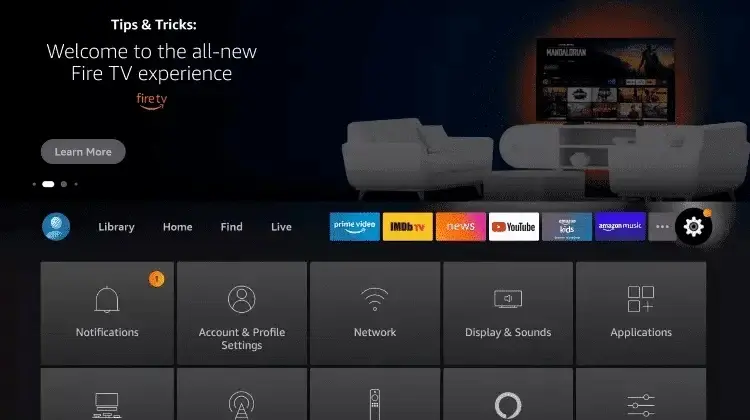
7.2 My Fire TV
Click My Fire TV.
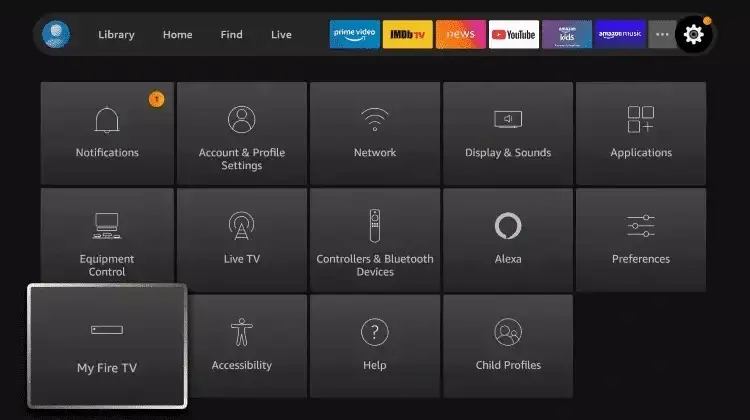
7.3 Developer Options
Select Developer options.
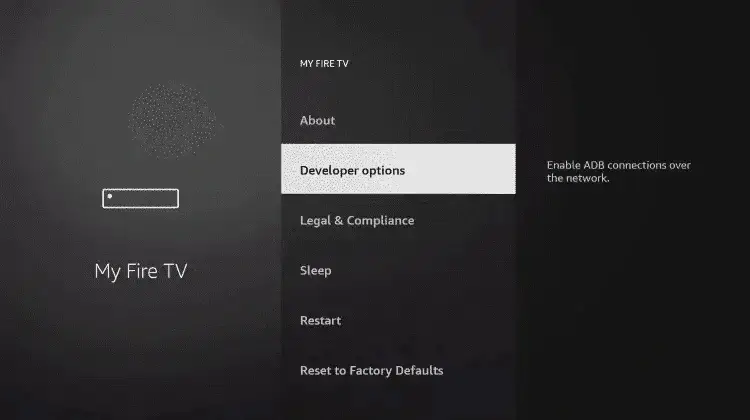
⚠️ Important: If Developer options aren’t visible, follow the video guide below:
Watch Video Guide
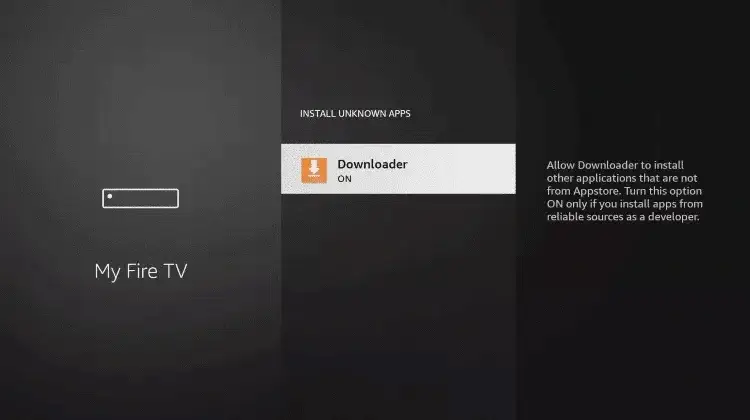
7.4 Install Unknown Apps
Click Install unknown apps.
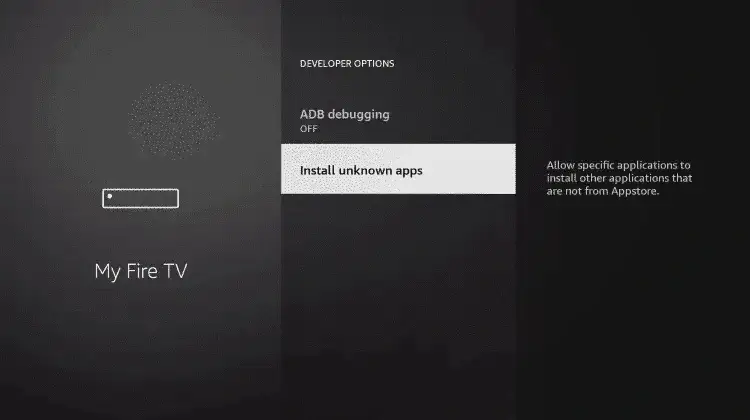
7.5 Enable Downloader
Find and click the Downloader app.
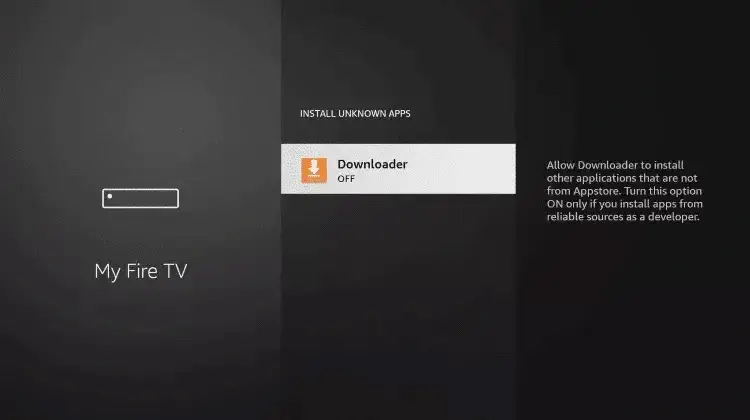
7.6 Turn on Unknown Sources
Enable Unknown Sources for the Downloader app.
8. Install IPTV App on FireStick
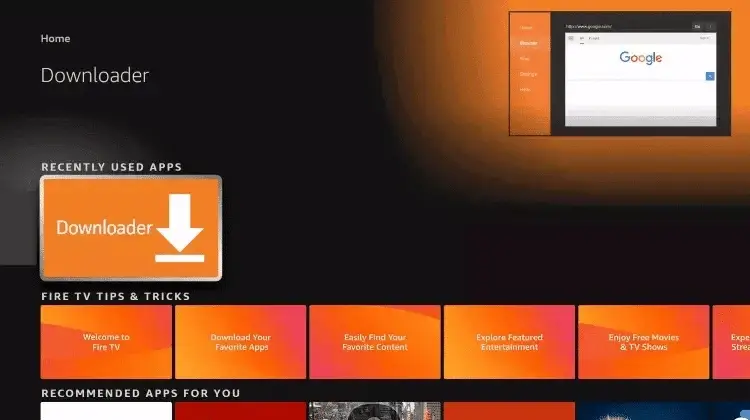
8.1 Launch Downloader
Open the Downloader app.
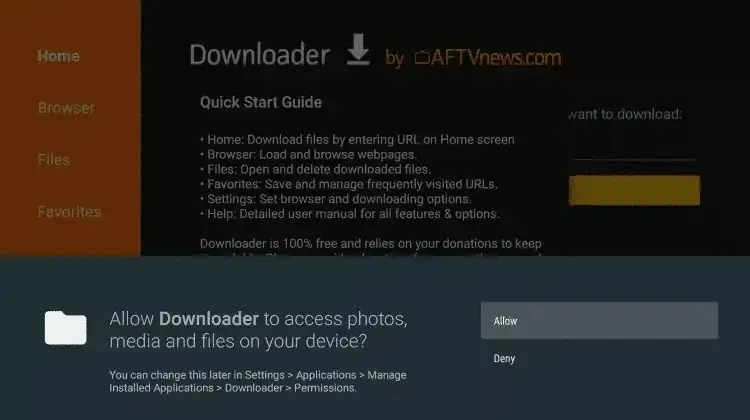
8.2 Allow Access
Click Allow when prompted.
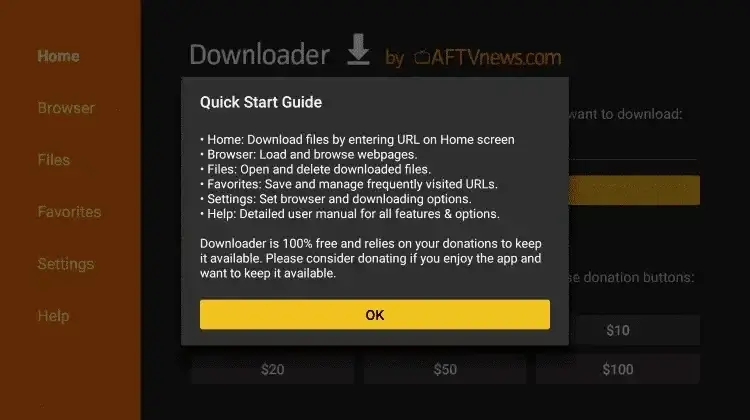
8.3 Enter Code
Type one of these codes in the URL field:
- IPTV Smarters Pro – Code: 78522
- XCIPTV – Code: 114407
- TiviMate – Code: 185194
- HOT IPTV – Code: 395800
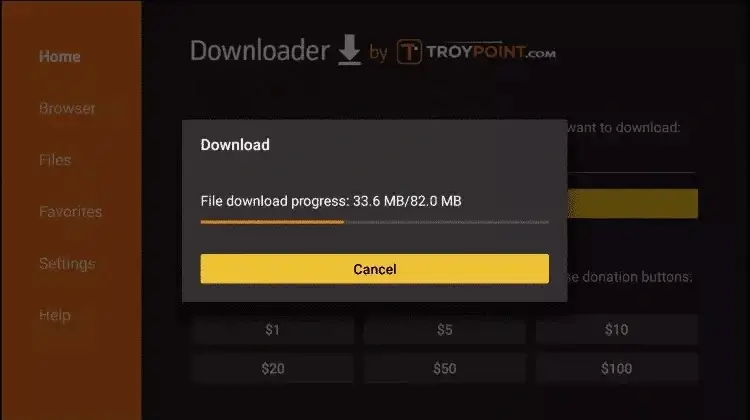
8.4 Download Progress
Wait for the file to download.
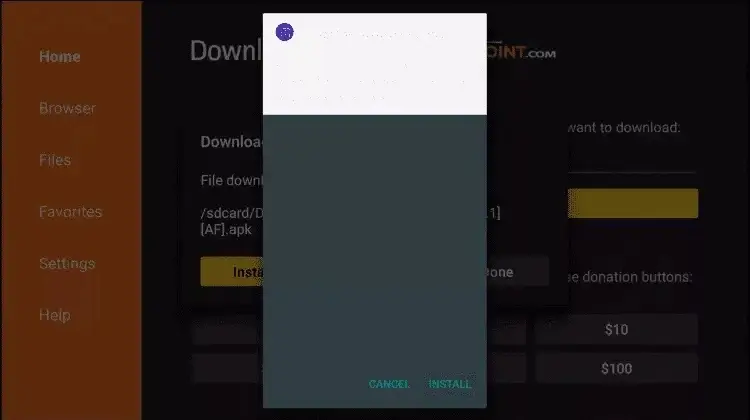
8.5 Install App
Click Install.
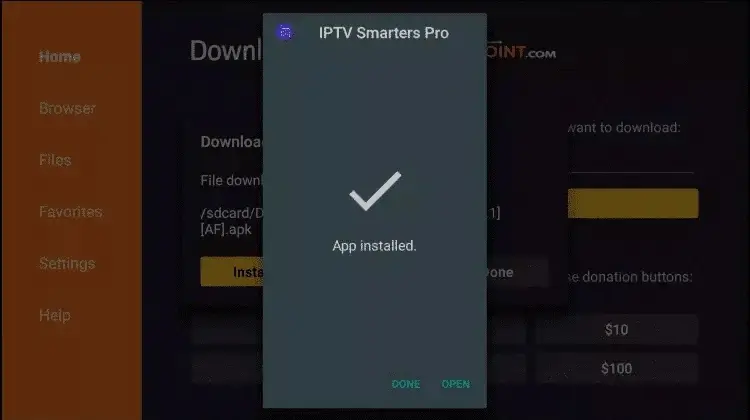
8.6 Complete Installation
Click Done.
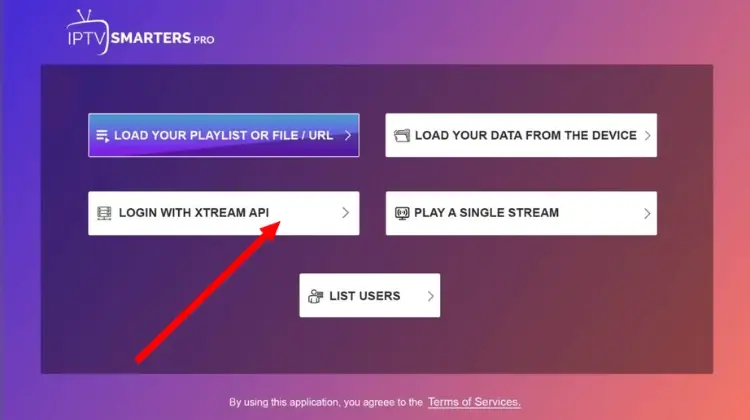
9. Configure Your IPTV Service
9.1 Open the IPTV App
Launch the installed IPTV player and select Xtream Codes API.
9.2 Enter Your IPTV Details
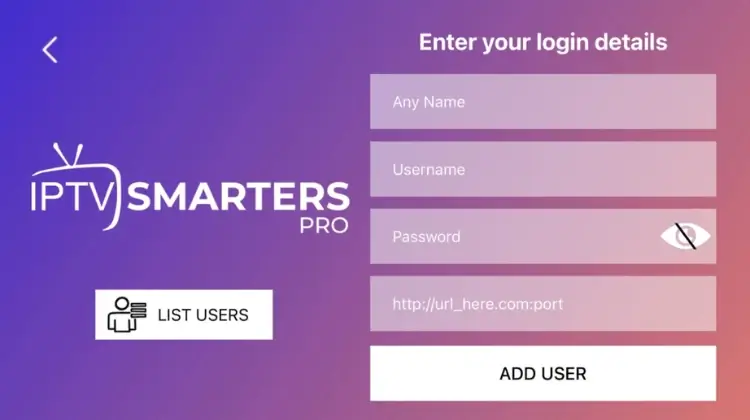
- Name: Any name (doesn’t matter)
- Username: Your subscription username
- Password: Your subscription password
- Server URL: Your server address (starts with http://)
Start Your IPTV Journey with PrimeVivo
Ready to Set Up IPTV on FireStick? Choose the perfect PrimeVivo subscription plan that matches your streaming needs. Our premium service offers crystal-clear HD & 4K quality across 30,000+ channels with zero buffering technology.
🚀 Experience seamless streaming today!
Top IPTV Apps for iPhone & iPad in 2024
We’ve thoroughly tested numerous IPTV apps to bring you the most reliable options for your iOS devices. Here are our top picks that deliver an amazing streaming experience:
Smarters Player Lite (Free)
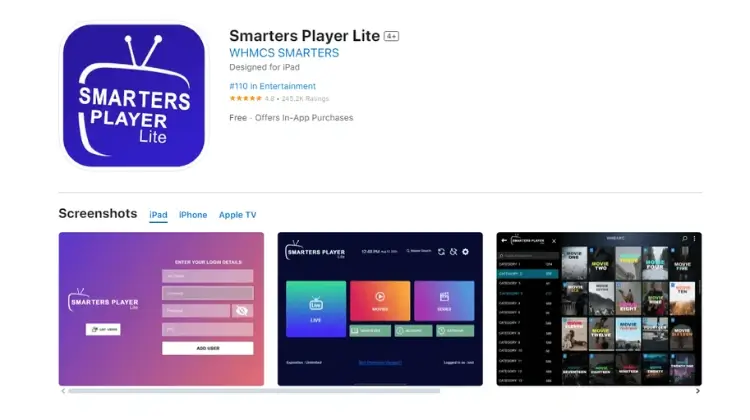
Why Choose Smarters Player Lite:
- Completely free to use
- User-friendly interface
- Perfect for beginners
- Regular updates
- Optimized for both iPhone & iPad
Quick Set Up Guide:
- Download from the App Store
- Launch the app
- Select “Login with Xtream Codes API” (third button)
- Enter your credentials:
- Username (from email/WhatsApp)
- Password (from email/WhatsApp)
- Server URL (starting with
http://) - Tap “Add User” to start streaming
Pro Tip: Enable auto-refresh in settings for better performance on both iPhone and iPad.
IPTVX (Premium Quality)
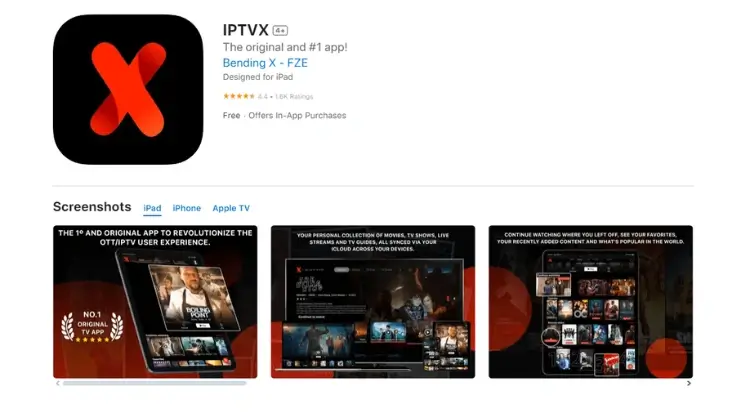
Premium Features:
- One-time purchase ($6.99)
- Multiple playlist support
- Advanced EPG integration
- Picture-in-Picture on iPad
- iCloud playlist backup
Installation Steps:
- Download IPTVX from the App Store
- Open and choose “Login with Xtream Codes API”
- Enter your subscription details
- Start enjoying premium streaming
Why We Recommend It: IPTVX offers superior performance on newer iOS devices and takes full advantage of the iPad’s larger screen.
TiviMax (Best iPad Experience)
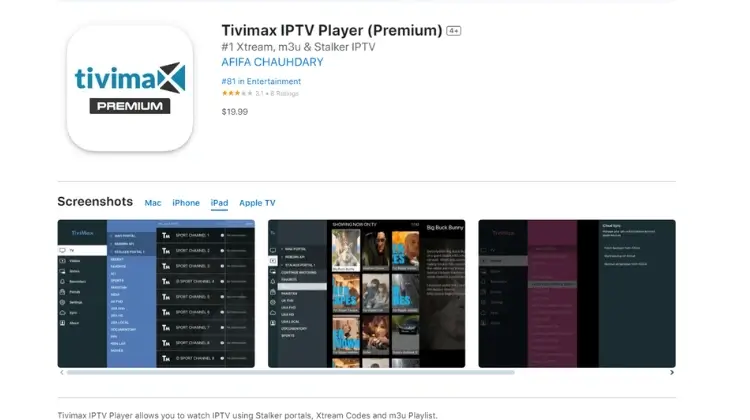
Standout Features:
- Free version available
- Premium features ($4.99/year)
- Catch-up TV support
- Multi-screen view on iPad
- Parental controls
- VOD support
Set Up IPTV on iPhone and iPad Process:
- Install TiviMax from the App Store
- Launch and select Xtream Codes login
- Enter your subscription details
- Customize your experience
Perfect for iPad Users: TiviMax is especially powerful on iPads, offering split-screen viewing and enhanced navigation on the larger display.
Device-Specific Tips
For iPhone Users:
- Enable Data Saver mode for mobile streaming
- Use Picture-in-Picture for multitasking
- Configure auto-quality adjustment
- Set up Face ID for quick access
For iPad Users:
- Take advantage of the larger screen with multi-view
- Use Split Screen for streaming and browsing
- Connect to external displays
- Utilize keyboard shortcuts
Troubleshooting Guide
Common Issues & Solutions
Authorization Failed?
- Double-check your credentials
- Verify server URL starts with “http://”
- Turn off VPN if active
- Clear app cache and retry
Buffering Issues?
- Check internet speed
- Close background apps
- Reduce video quality
- Connect to 5GHz WiFi
Top IPTV Apps for Chromecast in 2024
TiviMate IPTV Player – Premium Choice
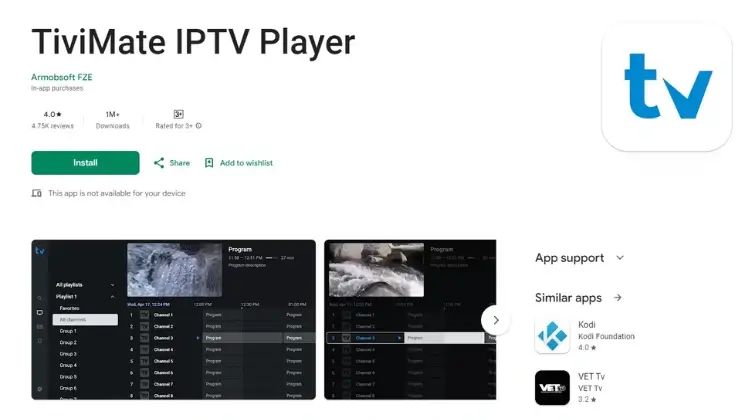
Why It’s Amazing:
- 4.0+ star rating
- 1M+ downloads
- 4,750+ positive reviews
Standout Features:
- Modern, intuitive interface
- Multi-playlist support
- Advanced EPG
- Catch-up TV
- Smart search function
- Category organization
Important Note: TiviMate works exclusively on Google TV devices – not available for phone casting.
IPTV Smarters Pro – Most Versatile
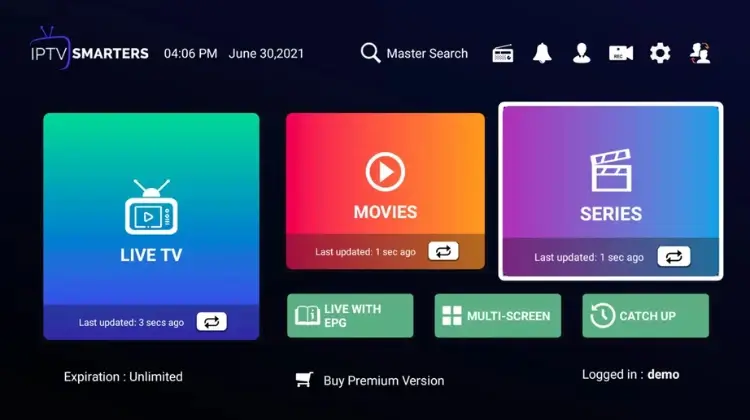
Perfect for Casting:
- Direct Chromecast support
- Cross-platform compatibility
- Free premium features
- Catch-up TV support
- Parental controls
- Multi-device support
Download: Available directly from the official website for enhanced features.
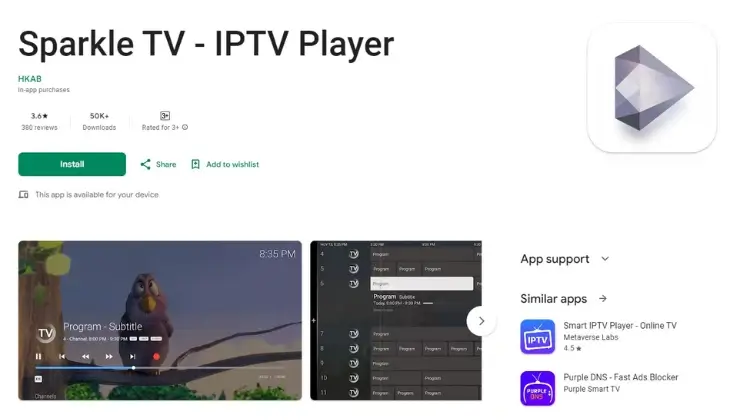
Sparkle TV – Feature-Rich Option
Advanced Features:
- Custom categories
- Drag-and-drop organization
- Multiple format support
- Visual customization
- Enhanced stability
- Series recording
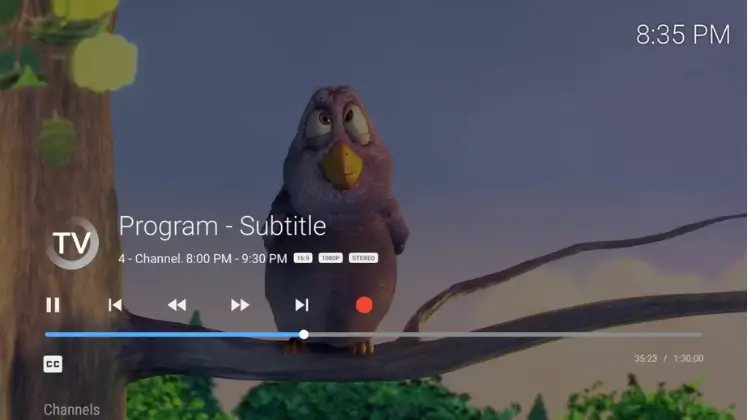
PVR Live – Professional Choice
Professional Features:
- Live TV integration
- EPG with images
- Multi-language support
- Timeshift capability
- Advanced DVR
- Multi-view streaming
Supported Sources:
- DVBLink (6.x+)
- Enigma2
- HdHomeRun
- Jellyfin
- M3U/M3U8 playlists
- Stalker Portal
- Xtream Codes API
Expert Tips for Perfect Streaming
Use Recommended Settings:
Optimize Your Setup:
- Use 5GHz WiFi when possible
- Keep Chromecast updated
- Clear cache regularly
Choose the Right App:
- Consider your needs
- Test free versions first
- Check compatibility
Enhance Performance:
- Set appropriate quality
- Monitor bandwidth usage
Start Your IPTV Journey with PrimeVivo
Ready to Set Up IPTV on Chromecast? Choose the perfect PrimeVivo subscription plan that matches your streaming needs. Our premium service offers crystal-clear HD & 4K quality across 30,000+ channels with zero buffering technology.
Recommended IPTV Players
IPTV Smarters Pro
- Downloader Code: 78522
- Free version available
- Excellent EPG support
TiviMate
- Downloader Code: 185194
- Premium features available
- Advanced playback options
XCIPTV
- Downloader Code: 114407
- Multi-playlist support
- Catch-up TV feature
HOT IPTV
- Downloader Code: 395800
- Simple interface
- Good for beginners
IBO Player Pro
Step-by-Step Installation Guide – Set Up IPTV on FireStick
Access the Downloader App
- From the home screen of your device, hover over the Find option
- Click Search
- Search for Downloader
- Select Downloader App
- Click Download
- Open Downloader
Access Settings
- Click My Fire TV
- Select Developer options
- If Developer options aren’t visible, follow the video guide below: YouTube Video Guide
- Click Install unknown apps
- Enable Downloader
- Turn on Unknown Sources for the Downloader app
Launch Downloader
- Open the Downloader app
- Click Allow when prompted
Enter Code
- Type one of these codes in the URL field:
- EVESTV Player (Coming Soon)
- IPTV Smarters Pro – Code: 78522
- XCIPTV – Code: 114407
- TiviMate – Code: 185194
- Google Play HOT IPTV – Code: 395800
Download Progress
- Wait for the file to download
Install App
- Click Install
Complete Installation
- Click Done
Configure IPTV
- Open the app and select Xtream Codes API
- Enter Your IPTV Details:
- Name: Any name (doesn’t matter)
- Username: Your subscription username
- Password: Your subscription password
- Server URL: Your server address (starts with
http://)
Step-by-Step Installation Guide
Download IPTV Smarters Pro
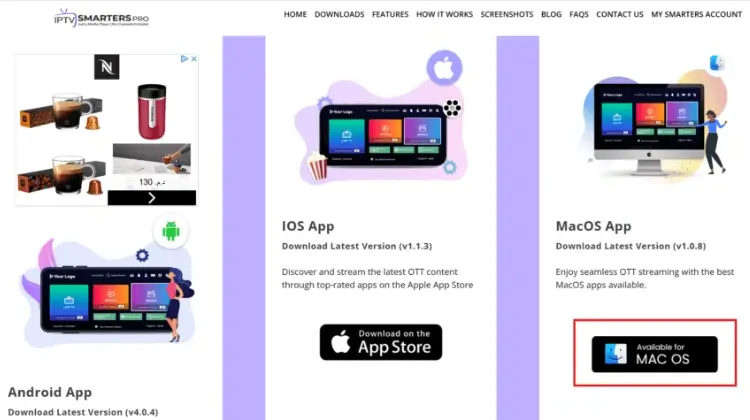
Visit the official website: IPTV Smarters Pro to download the Mac version. This powerful app offers:
- Crystal-clear streaming quality
- User-friendly interface
- Live channels & VOD support
- EPG integration
- Multi-screen support
Enable Apps from Unidentified Developers
Step-by-step video guide for enabling app installation from unidentified developers on MacOS.
Follow these crucial security steps:
- Click the Apple menu (⌘) → System Preferences
- Select Security & Privacy
- Click the lock icon 🔒 (enter admin password)
- Under General, select Allow apps downloaded from: Anywhere
Pro Tip: If “Anywhere” isn’t visible, use Terminal:
sudo spctl --master-disable
Install the Application
Quick Installation Steps:
- Open Downloads folder
- Double-click the IPTV Smarters Pro installer
- Follow on-screen instructions
- Locate app in Applications folder
- Launch IPTV Smarters Pro
Configure Your Service
Enter your subscription details:
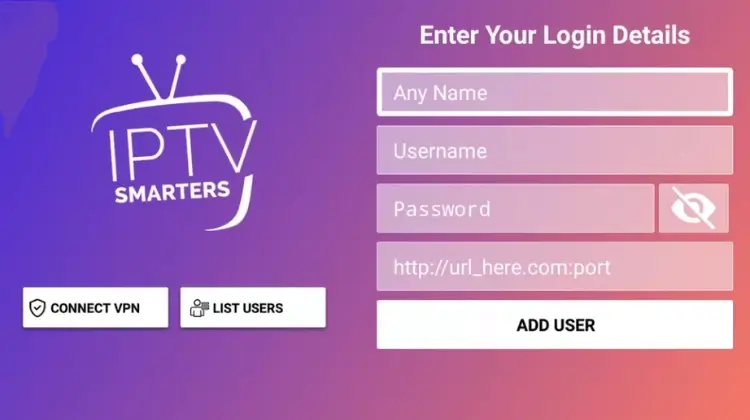
- Username (from email/WhatsApp)
- Password (from email/WhatsApp)
- Server URL (starts with
http://)
Important: Always double-check your credentials for accuracy!
Pro Tips for Perfect Streaming
Optimize Performance:
- Close unnecessary applications
- Use wired internet when possible
- Keep MacOS updated
Enhance Your Experience:
- Enable hardware acceleration
- Adjust video quality settings
- Use full-screen mode
Troubleshooting Steps
Verify internet connection:
- Ensure you have a stable connection
Check credential accuracy:
- Double-check your username, password, and server URL
Clear app cache if needed:
- Try clearing the cache within the app settings
Restart app or Mac if necessary:
- A restart can often resolve minor issues
Need Expert Help?
Our professional support team is available 24/7:
- Email: [email protected]
- WhatsApp: [Your WhatsApp Link]
- Response Time: Under 5 minutes
Step-by-Step Configuration Guide
Submit Your Device Information
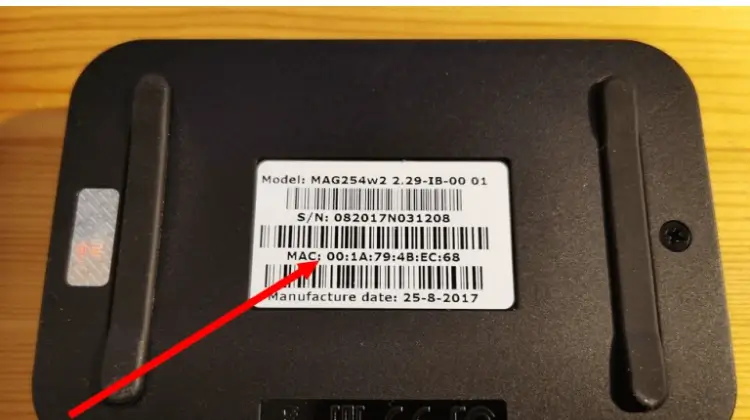
Send us these details:
- Device MAC address
- Order ID/Payment reference
- Device model (MAG, TVIP, Formuler)
- Connection type (WiFi/Ethernet)
Quick Tip: Using WiFi? Make sure to send your WiFi MAC address!
Configure Your Portal Settings
Once you receive your portal URL, follow these steps:
Access Settings:
- Navigate to Settings
- Select System Settings
- Choose Servers
- Select Portals
Enter Portal Details:
- Input the provided portal URL (starts with
http://) - Set any preferred portal name
- Press OK to save
Pro Tip: Double-check your portal URL – accuracy is crucial!
Complete Setup Process
Save Changes:
- Verify all entered information
- Confirm settings
- Exit to the main menu
Restart Device:
- Power cycle your device
- Wait 30 seconds
- Power back on
Expert Tips for Perfect Streaming
Optimize Your Connection:
- Use wired internet when possible
- Maintain stable WiFi signal
- Keep your device updated
Avoid Common Issues:
- Verify MAC address accuracy
- Ensure URL starts with
http:// - Check for provider blocks
- Maintain proper ventilation
Troubleshooting Steps:
Connection Issues:
- Check internet stability
- Verify cable connections
- Test different ports
Portal Errors:
- Confirm MAC address
- Check for typos
- Verify portal URL
- Contact support if needed
Choose Your Perfect IPTV Player
First, let’s explore the best IPTV apps available for Smart TVs. We’ve tested dozens of players and narrowed down the top options that offer the smoothest streaming experience.
IPTV Smarters Pro (Free Forever)
- Completely free to use
- Clean, intuitive interface
- Direct playlist support
- No third-party uploads needed
- Regular updates
HOT IPTV (30-Day Free Trial)
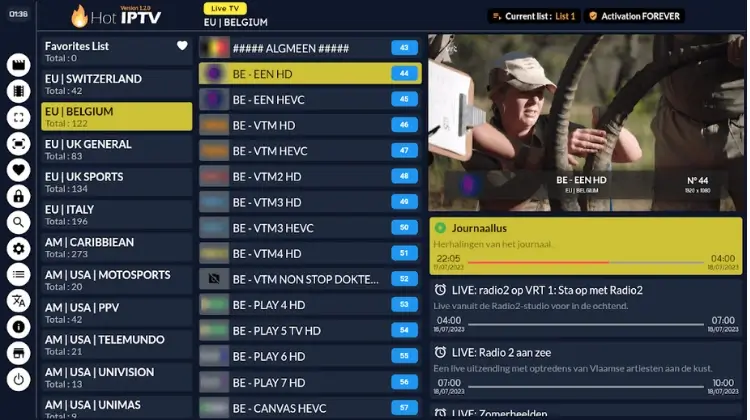
- Smooth, responsive interface
- Affordable yearly subscription (just €4.99)
- Reliable performance
- Regular feature updates
- Excellent EPG support
IBO Player Pro (7-Day Trial)
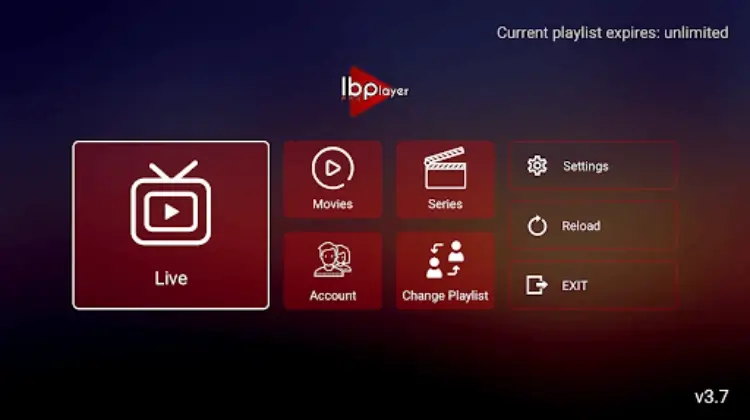
- One-time payment ($10 lifetime)
- Professional features
- Strong community support
- Regular stability updates
Additional Smart TV Options
Perfect for older Smart TV models:
- Smart One IPTV
- Duplex IPTV
- Net IPTV
- SS IPTV
- Smart IPTV
Pro Tip: While these apps work well, some have memory limitations. We recommend newer options for the best experience.
Step-by-Step Set Up Guide
Method 1: IPTV Smarters Pro Installation (Free)
- Download & Install
- Open your TV’s App Store
- Search “IPTV Smarters Pro”
- Click Install
- Launch the app
- Enter Your Details
Fill in these fields:
- Name: Your choice (anything works!)
- Username: Your subscription username
- Password: Your subscription password
- Server URL: Your http:// link
Method 2: Premium App Set Up (HOT IPTV Example)
- Install Your Chosen App
- Get Your MAC Address
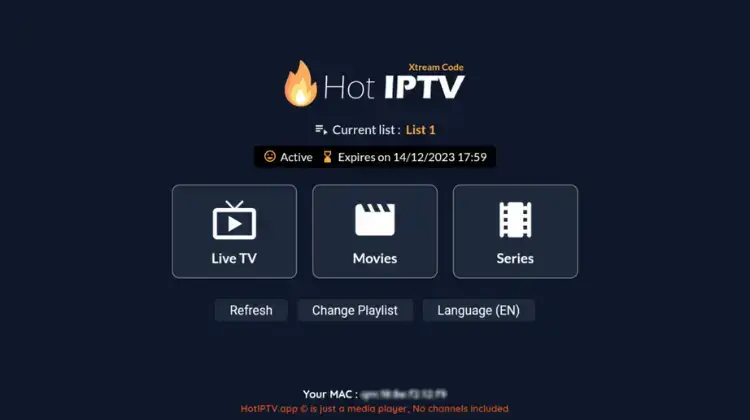
- Configure Your Service
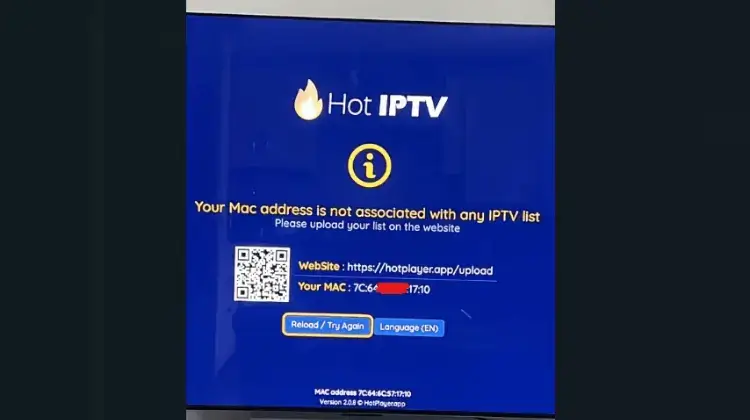
Troubleshooting Set Up IPTV on Smart TV
If you see “Authorization Failed”:
- Double-check all credentials
- Verify the server URL starts with http://
- Turn off VPN if active
- Contact support if issues persist
Still Can’t Set Up IPTV on Smart TV? Let Us Help!
Email: [email protected]
WhatsApp: [Your WhatsApp Link]
Telegram: @PrimeVivoSupport
Contact Page: [Your Contact Page URL]
Average Response Time: 5 minutes
Start Your IPTV Journey with PrimeVivo
Ready to Set Up IPTV on Smart TV? Choose the perfect PrimeVivo subscription plan that matches your streaming needs. Our premium service offers crystal-clear HD & 4K quality across 30,000+ channels with zero buffering technology.
Choose Your Perfect IPTV Player
TvMate IPTV Player – Ultimate Windows Experience
The TvMate Player offers an outstanding streaming experience with its sleek interface and powerful features.
Installation Steps:
- Visit the Microsoft Store: Download TvMate Player
- Click “Get” or “Install”
- Launch the application
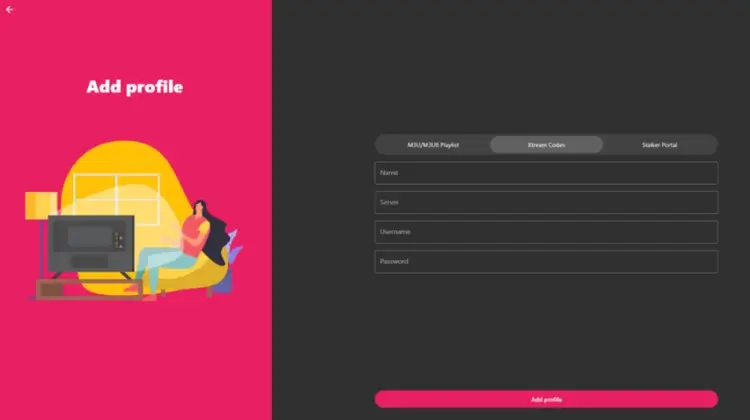
Login Options:
- Xtream Codes API (Recommended)
- M3U Playlist support
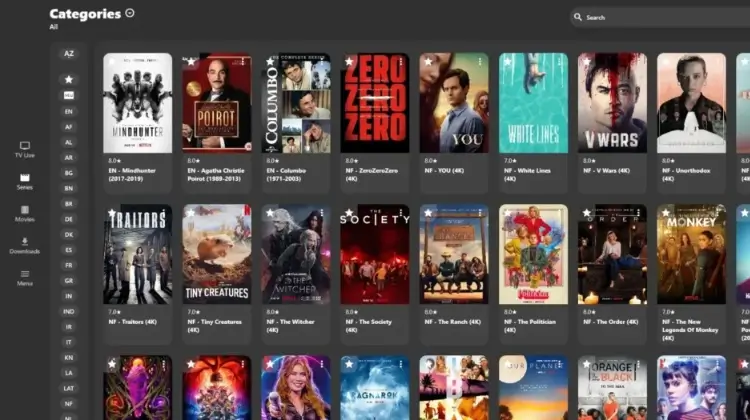
IPTV Smarters Pro – Professional Streaming Solution
Step-by-Step Installation Guide
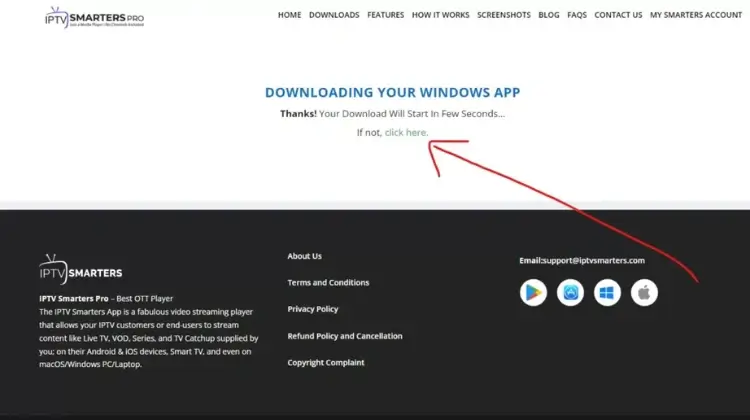
Download the Application
- Open your favorite browser
- Visit: IPTV Smarters Pro Download
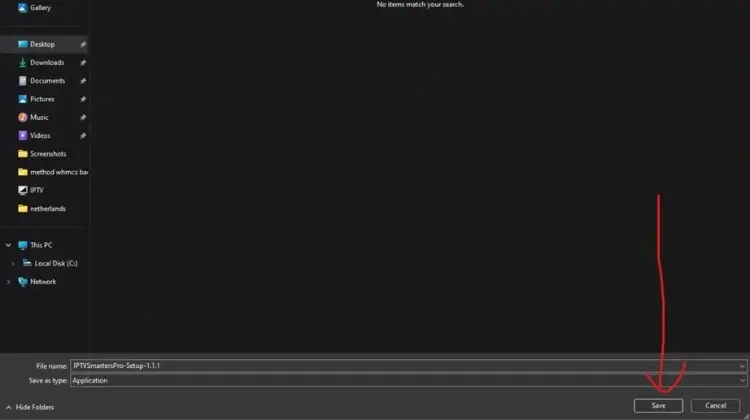
Save Installation File
- Choose download location
- Create a dedicated folder (recommended)
Install the Application
- Locate downloaded file
- Double-click to start installation
- Follow the setup wizard
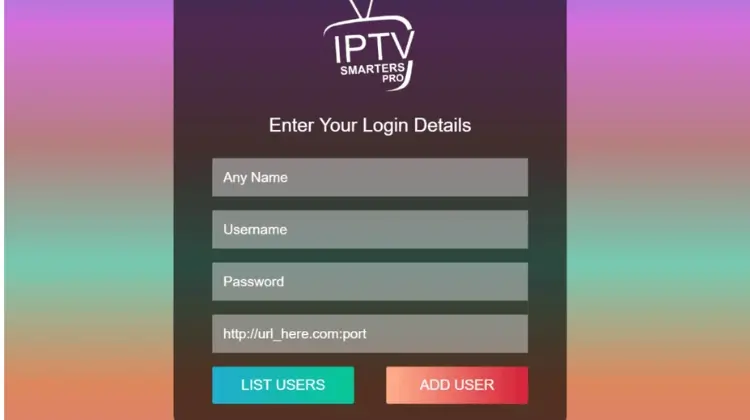
Launch and Configure
- Find desktop icon
- Double-click to open
Prepare login details
- Name: Any name (your choice)
- Username: Your subscription username
- Password: Your subscription password
- Server URL: Your provided URL (starts with
http://)
Pro Tips for Perfect Streaming
Optimize Performance:
- Use wired internet when possible
- Close unnecessary applications
- Update Windows regularly
Enhance Video Quality:
- Adjust video output settings
- Configure hardware acceleration
- Select appropriate resolution
Troubleshooting Guide
- Check internet connection
- Verify login credentials
- Clear application cache
- Restart application if needed

Välj ditt abonnemang
Välj IPTV-abonnemang som passar din budget och behov

Gör din beställning
Placera din beställning snabbt och enkelt via vår säkra kassa

Motta dina uppgifter
När bekräftat skickar vi dina IPTV inloggningsuppgifter

Börja streama
Logga in och börja streama ditt favoritmaterial direkt